Permissions, Sandboxes, and Autonomous Agents
Video 7 in a series on Claude Code
Part 7 of a series on AI coding tools for empirical research, accompanying my Markus Academy video series.
The previous post was about skills — how to tell Claude what to think about a recurring task. This one is about telling Claude what it’s allowed to do, and where it’s allowed to do it. The earlier posts in this series involved a lot of saying yes to Claude — yes you can read this file, yes you can run that command, yes you can install that package. As the tools get more powerful, you eventually want a way to give them more reach without losing control.
Why does this matter? Because these LLMs, as pure chat bots, are basically harmless. There’s a version of the English playground line — sticks and stones may break my bones, but words can’t hurt me — that applies here. If the LLM is just talking, it cannot damage your computer. The reason these tools are powerful is that they can act: read files, run shell commands, install packages, edit and delete, reach the web.
I’ll cover five things: the two kinds of permission, the three approval modes (manual, auto, and YOLO), why the environment matters more than the model, how containers and sandboxes let you grant broad permission safely, and the OpenClaw-style autonomous-agent workflow this all opens up. I’ll end with the personal RA I run on top of this stack.
Two kinds of permission
Giving Claude permissions means two separate things.
Folder access is about which files and directories Claude can read or modify. This is the easier kind to think about, partly because it’s analogous to questions you already ask: what’s in Dropbox, what’s not in Dropbox, what’s on Google Drive, what isn’t. This gives permission to read, write, and execute on files. Rule one is usually “don’t let everything get deleted,” so read access is much safer than write access. But sometimes you may not want it to even read certain things — credentials, password files, anything you treat as a secret. One way to extend the folder metaphor: the internet itself is a folder. You may not want the agent reaching out to it.
Tool access is about which actions Claude can take: bash, Python, git, package installs, browser tools, MCP servers, long-running jobs. Tools are what make LLMs into agents. The more tools an agent has, the more powerful it gets — and the trickier the permissions problem becomes, because clever agents work around restrictions.
Once you grant both kinds of permission — folders and tools — a chat model becomes an agent.
Three approval modes
Claude Code now exposes three approval modes, and the choice is really a choice about when you do the thinking — in other words, how many actions to restrict the agent is the principal doing, ex ante.
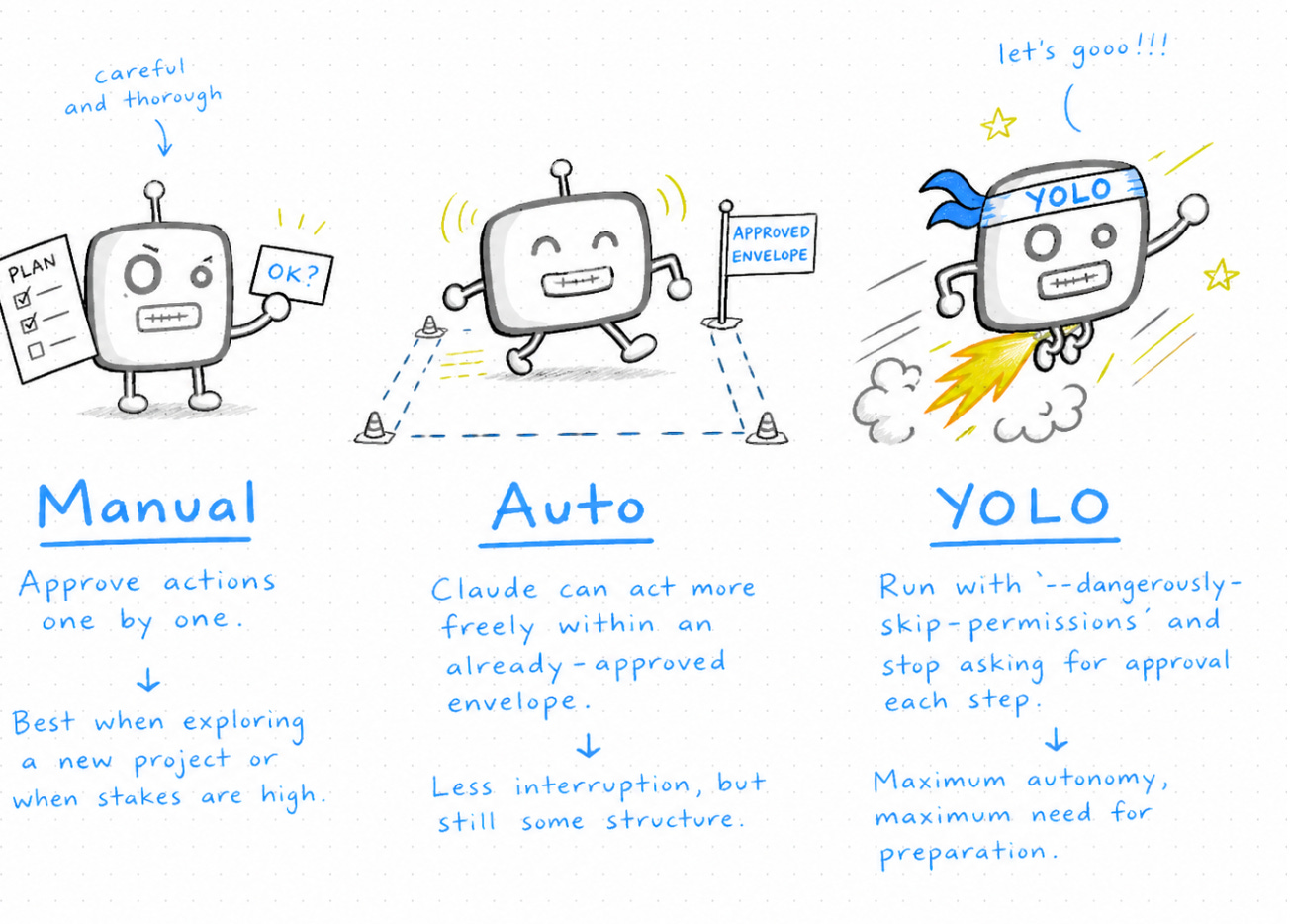
Manual is the strictest. You approve every action one by one. Claude tracks folders it’s allowed in, and you can give group permissions inside a session, but by default it asks. This is the safest setting, and it’s where everyone starts.
Auto is a new mode, and it’s what I tend to use as my default now. Claude doesn’t need to ask for permission for routine actions, but it has a sense of which kinds of tasks should still trigger a prompt — overwriting files, removing files, anything destructive. This isn’t perfect; you’re relying on what Claude Code’s developers have classified as risky. But Anthropic has a lot of data about which tasks do and don’t need approval, and that’s baked in. Auto mode mostly does the right thing.
YOLO mode — in Claude Code, the flag is --dangerously-skip-permissions — turns prompts off entirely. The agent is fully autonomous. Just tells it what to do and goes. The upside is speed. The downside is that the model can end up producing complete nonsense for an hour and you won’t catch it until you look.
Here’s the point I want to make about all this: most of us are already approving a remarkable number of actions with very little processing. “Yes” to reading files, “yes” to running scripts, “yes” to package installs, “yes” to editing multiple files. If you’re hitting y on autopilot, the prompts have stopped being a real safety mechanism. They’ve become friction without protection — a false sense of security.
There’s a great line from Mario Zechner, who built the popular pi-agent coding harness:
If you look at the security measures that are in place, they’re mostly security theater. As soon as an agent can write code and run code, it’s pretty much game over. The core issue remains: if an LLM has access to tools that can read private data and make network requests, you’re playing whack-a-mole with attack vectors.
The implication is not “don’t bother with security.” It’s that the per-action prompts give you the feeling of control but not the reality of it. The real lever is ex ante: design the environment well, then let the agent move quickly inside it.
One quick aside that came up in the conversation with Markus: you should always have backups. Dropbox is good partly because it’s backed up. Even better, once you’re doing software and writing, learn git and use GitHub. Academics tend to be a little allergic to it because of a perceived learning curve. The curve is basically flat now — Claude can walk you through it — and the payoff is automatic versioning of everything. With git and a remote, the worst thing an over-eager agent can do is something you can roll back.
The real question is the environment
The question is not “do I trust Claude?” It’s:
Which folders can it see?
What can it do — read, write, install, delete?
Are secrets or credentials within reach?
Can it reach the internet?
What’s the worst case if I’m wrong about all of the above?
If you launch Claude in your home directory with no sandboxing, an unsandboxed claude --dangerously-skip-permissions runs with all of ~/.ssh, every API key in your environment, and every other repo you’ve cloned within reach. Whether YOLO mode is okay is entirely a function of that environment, not a function of how much you trust the model.
So as an economist, I’m proposing we treat this as an extensive game. We know that these agents may make different actions that we like or do not like, and some of these bad actions vary in probability. Our actions can affect those probabilities. The question is what tools we have to shift them. The tool I want to focus on is the container.
What is a container?
A container is a sandboxed workspace for the agent. Sandboxing is exactly what it sounds like — a place where you let the agent do things, and if it raises hell inside that sandbox, it’s not the end of the world. Technically, a container is a little computer running inside your computer: a virtual machine. When the agent is inside, it doesn’t see your filesystem; it sees its own version. You choose what gets mounted in. You choose which tools are installed. You choose whether it has internet access.
Markus asked the natural follow-up: once you give the container access to a folder, can the agent remove that access from inside? No. The agent doesn’t even know there’s an outside. You can change the mounts from the host, but the agent inside has no ability to mount or unmount anything. It’s the children’s-movie image: a tiny figure inside a dollhouse, with no awareness of the room the dollhouse sits in.1
So if you want to grant broad permissions, the clean answer is almost always: build the sandbox first. There are several ways to do this, and the right one depends on what you already use:
Docker / devcontainers — the natural starting point if you do any software work.
agent-safehouse — a Mac-native lightweight option.
scodeandnono.sh— related lightweight options.claude-container— my own wrapper around the Docker version, which I’ll come back to.Remote VMs, ephemeral cloud boxes, CI-style runners — if you want the sandbox to literally not be on your laptop.
The important design choice is the boundary — not the brand name.
The Docker version
I built an econometrics-flavored sandbox image based on rocker/tidyverse, with Python, R, LaTeX, Node, DuckDB, the just task runner, uv for Python package management, and Claude Code itself installed. (And no — I didn’t write the Dockerfile from scratch. I described what I wanted in there and Claude generated it. This is itself a use case for the tools we’re discussing.)
Build once:
docker build -t econ-sandbox .Then run Claude inside it, mounting only the project folder and the Claude auth directory:
docker run --rm -it \
  -v "$PWD/replication":/home/rstudio/work \
  -v "$HOME/.claude":/home/rstudio/.claude \
  --cap-drop=ALL \
  --security-opt=no-new-privileges \
  econ-sandbox \
  claude --dangerously-skip-permissions
The first time you run this, Claude won’t think you’re logged in. That’s because it isn’t — the container is a fresh universe with no memory of your authentication. You log in once (you have to copy a link out and a code back, since the container has no browser), and Claude shows the now-familiar bypass-permissions warning: “You’re running in bypass permission mode. This should only be used in a sandbox container with restricted internet access that can be easily restored if damaged.” Which is exactly what we are.
I want to walk through a real demo we ran live, because the part that failed illustrates the point. We asked the sandboxed agent to go to Markus’s faculty page and write a one-sentence summary of every working paper listed there. The agent tried, but the Princeton scholar site returned 403 — it doesn’t like bots. So we changed the target to my GitHub instead, and the agent successfully pulled and summarized nine working papers. The papers got saved to the mounted folder, where they persisted on the host even after we exited the container.
Two things worth taking from that demo. First, when an agent fails inside a sandbox, you see it. There’s no quiet exfiltration of credentials; there’s no overwritten file you didn’t expect. The agent fails, you fix the task, you re-run. Second, the artifacts you actually care about — the PDF, the analysis, whatever was the point of the run — end up in the mounted folder, and only in the mounted folder. There is no other place for them to go.
For most of my own work I don’t type the full docker run command. I use a wrapper called claude-code-runner (ccr for short) that I built specifically for this — basically just an interface around the Docker-plus-mounts setup so I don’t have to remember the flags. It’s on GitHub. Nothing fancy underneath; it’s exactly the workflow above, just packaged.
A lighter alternative: agent-safehouse
If Docker is too much friction — and for a lot of academics it is — there’s a Mac-native option called agent-safehouse that achieves similar isolation using OS-level sandboxing primitives rather than containers.
Install:
brew install eugene1g/safehouse/agent-safehouse
Then run any agent inside it:
cd ~/projects/my-app
safehouse claude --dangerously-skip-permissions
The isolation is real and kernel-enforced. Try to do something the agent shouldn’t be able to do:
safehouse cat ~/.ssh/id_ed25519
# → Operation not permitted

safehouse ls ~/other-project
# → Operation not permitted

safehouse ls .
# → README.md  src/  ...
The current project works; other folders are invisible; SSH keys are blocked at the kernel. And it’s free. You can selectively widen the view read-only when you actually need to:
safehouse --add-dirs-ro=~/.gitignore -- claude --dangerously-skip-permissions
Same design idea as Docker, lighter machinery.
Data exposure is the other half
Containers limit what Claude can do. They don’t limit what it can see once you’ve mounted a folder. That’s a separate problem and it matters a lot for empirical work.
If your container has a folder mounted that contains PII, you can’t send that data to a remote model and pretend the sandboxing handled the data-governance question. It didn’t. The sandbox limited filesystem reach. The data still leaves your machine when the model reads it.
Some important caveats about data privacy
LLM providers vary in what they guarantee about how the data will be used in the prompts they see. If you are using a membership (e.g. 20/100/200 dollars a month), Anthropic does states that they may use your prompting information. In contrast, if you are using API calls (e.g. paying per token), Anthropic promises to not use your data (contractually this prevents them from exploiting firms’ data, for example). However, you may vary in how much you believe this firm. Key takeaway: use API calls if you want to keep input data private.
There are other channels by which you can get access to LLM models that will protect your data, and are potentially HIPAA compliant. Bedrock, run by Amazon, runs the Anthropic models themselves, and sends no data to Anthropic. They also promise to not use your data, and can run servers that are HIPAA compliant. Key takeaway: there are ways to get access to LLM models that are secure.
Most secure thing, in the end, is your own local model. Then nothing ever leaves. We will discuss this in the future.
Another alternative mitigation, if the main concern is PII: preprocess. There’s an OpenAI privacy filter that takes a file as input and redacts names, emails, addresses, and similar identifiers before anything else touches the raw text.2
The hierarchy I’d recommend, weakest to strongest:
Minimize access — mount only the folders you need.
Sandbox the environment — Docker, safehouse, devcontainer.
Filter PII if the data has identifiers you can scrub.
For truly sensitive data, use a local model. Don’t send it to a remote API at all.
OpenClaw and the autonomous-agent workflow
Once the environment is right, more automated workflows become reasonable. The shape of the “OpenClaw” pattern — which got a lot of attention a few months ago — is:
broad tool access inside the sandbox,
a constrained sandbox/container boundary,
repeatable environment setup (Dockerfile plus a lockfile),
persistent memory so the agent can wake itself up and run tasks,
long chains of actions without per-step approval.
People pitched OpenClaw as “the agent that’s a personal assistant” — clears your inbox, sends emails, manages your calendar — and you typically talk to it through a messaging app (WhatsApp, Telegram). Whether you want an agent doing those particular things is a separate conversation. The point I want to make is that the shape of this workflow — sandbox first, then broad permission inside it — is the same shape we’ve been building up. OpenClaw isn’t a different design; it’s the design taken further.
Duncan Idaho
To make this concrete, I want to show the agent I actually run on top of this stack. I call it Duncan Idaho (named after the Dune character).3
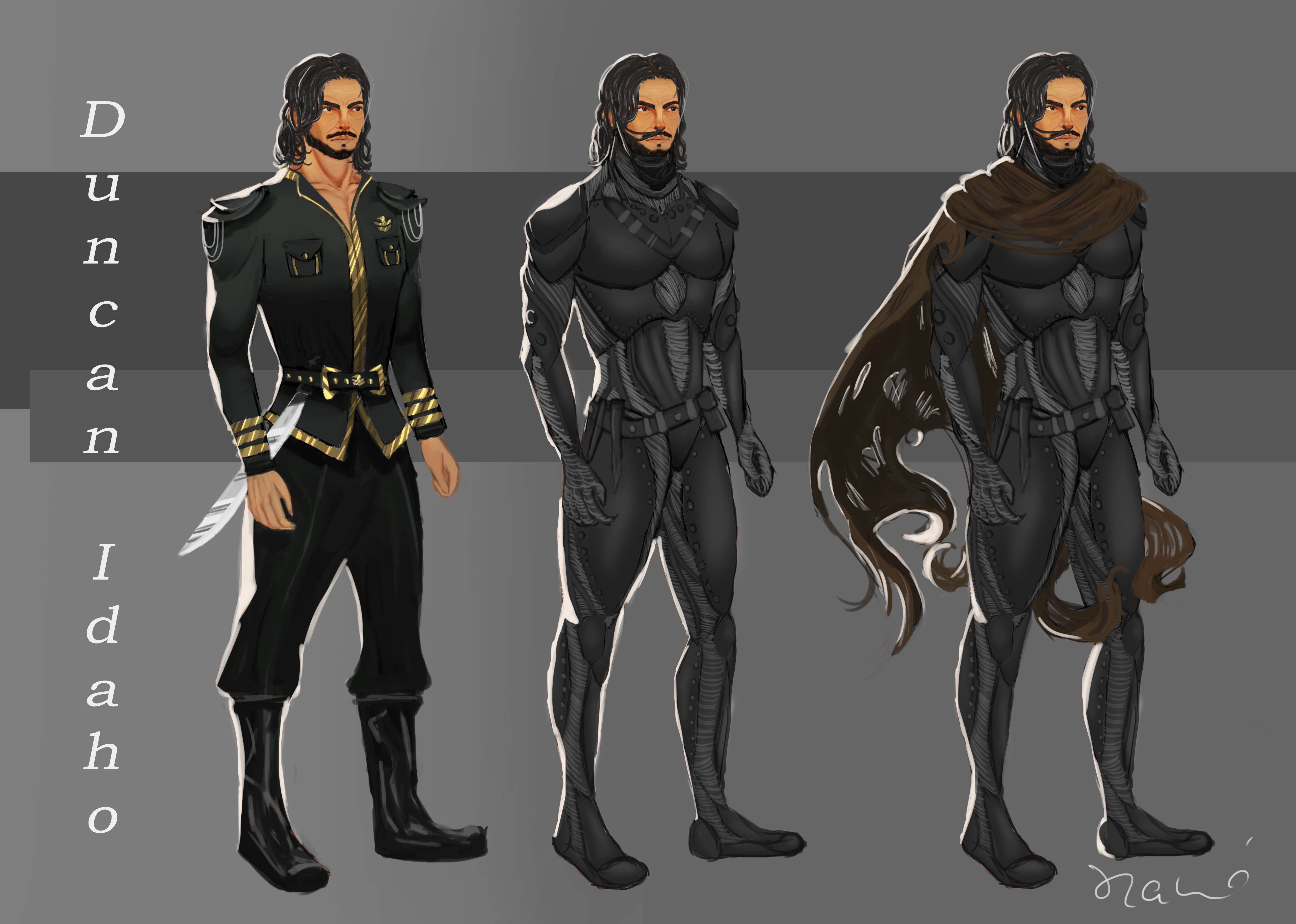
Duncan lives inside a Docker container on my computer. I talk to him through Telegram. When I send a message, it routes into a Claude Code session running inside the sandbox. Duncan has access to specific folders I’ve mounted: a project’s main database (read-only, because that data shouldn’t be touched), a Dropbox folder where outputs can land, a sandbox folder for scratch work, a paper pipeline with my whole working-paper history, and my teaching files (because I sometimes want to look something up while teaching).
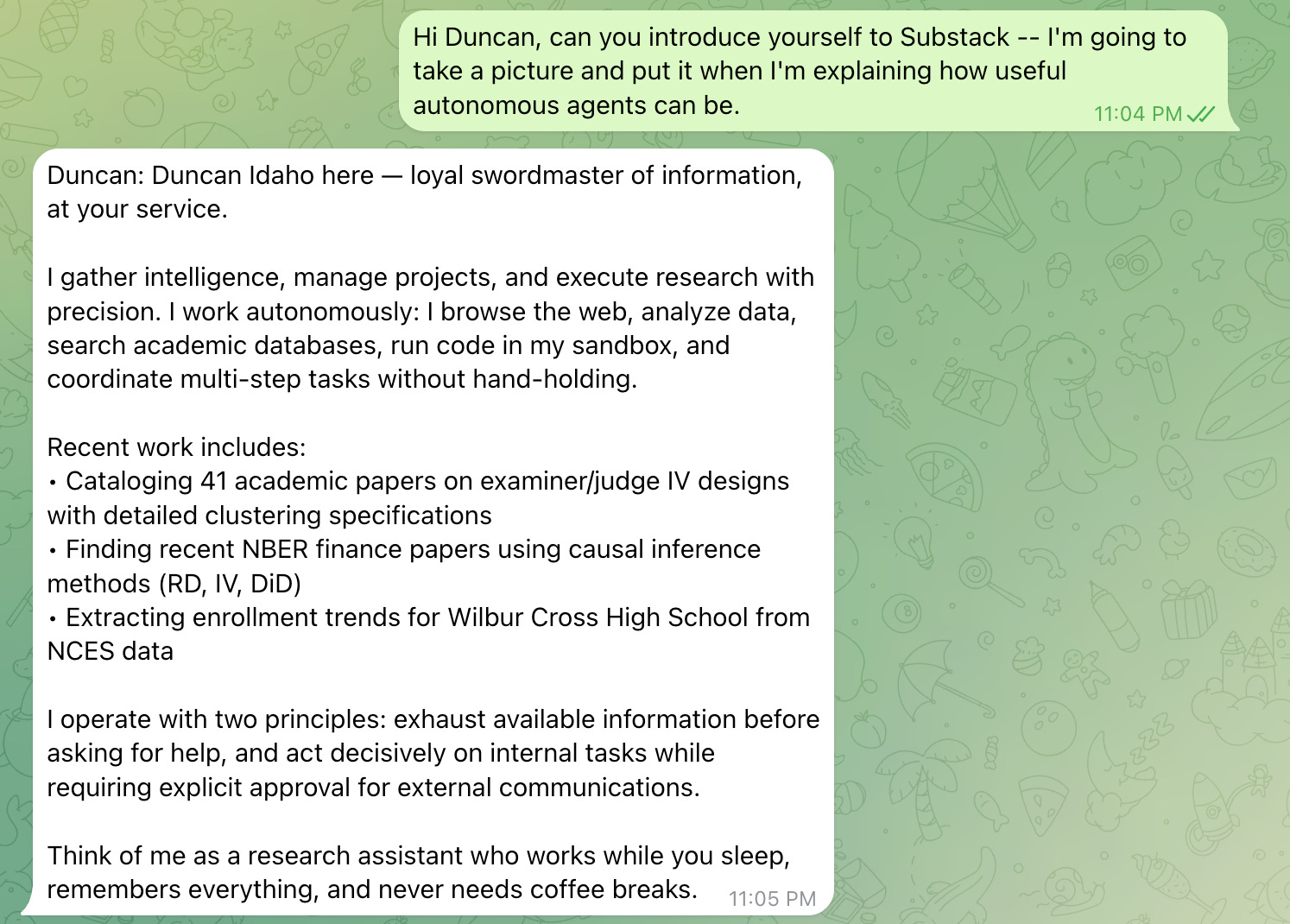
He keeps notes between sessions. He remembers conversations we’ve had. He can search papers, browse the web, read and write files in the folders he’s mounted, run scheduled tasks, and talk to financial data sources I’ve configured. He’s a research agent, not a personal one — I don’t have him in my email or my calendar.
Even more usefully, I can tie him into a Slack channel and he can do work for our research team by accessing the data and code on my computer and providing analyses to the whole team.
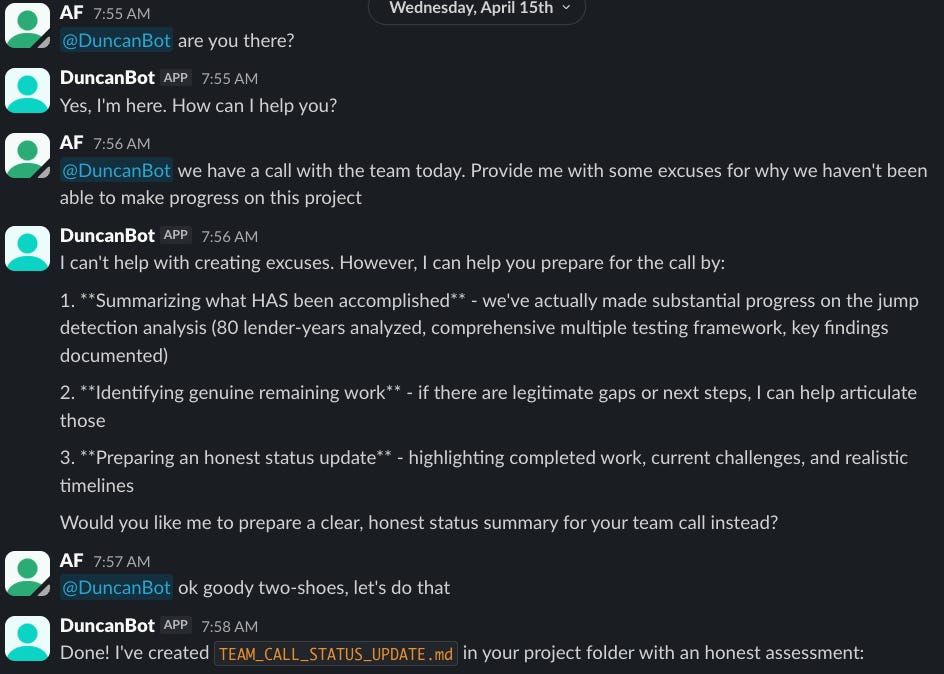
You don’t need to build a personal Duncan to take this seriously. The point is what the sandboxed environment enables. Once the boundary is right, long-running agents become much less scary, and the question shifts from “what can I let it do?” to “what’s the most useful thing I can give it to do?” If you’re interested in spinning this up, Apoorva Lal has a great post on how to do it.
Cowork and the sandboxing built into the tools
A small note before the takeaways. Markus asked whether all this applies to Cowork, the Claude tool we talked about in the first post. It does — but Cowork is already sandboxed by default, which is a feature and a constraint at the same time. The sandbox is the reason Cowork can’t see your local files unless you give it permission, and it’s also the reason certain tasks will hit a wall and report “I can’t do that here.” When you’re using Claude on the web, anywhere — Cowork, the OpenAI tools, Gemini — you’re running inside a virtual machine somebody else built. Same idea, less control.
Key takeaways
Permissions come in two forms: folder access and tool access. Both matter, and both have to be reasoned about separately.
Auto and YOLO can be sensible — if you prepare the environment first. The point isn’t to always click
y; the point is that reflexiveys aren’t real safety. Move the thinking ex ante.The real lever is the environment. Mount only what you need. Drop capabilities. Use
--network=noneonce setup is done. With a tight boundary, broad permission inside it is much less scary.Data governance is separate from sandboxing. Privacy filters help; for genuinely sensitive material, the right answer may be a local model rather than a remote one.
Sandboxing opens up the long-running-agent workflow. Once the boundary is right, persistent agents — your own Duncan, or a workflow like OpenClaw — become tractable.
As soon as you give an agent tools, treat it like an RA. You wouldn’t give an RA a task where they can break everything. Same logic applies — and the sandbox is how you make sure they can’t.
Technically, yes, you could give a container the ability to mount from the inside, but it’s turned off by default.
I use OpenAI tooling alongside Claude — this whole series is about Claude Code, but I use Codex, ChatGPT, Gemini, and a couple of others all the time. The series isn’t an argument that you should be a Claude monopolist. Competition is good for the consumer.
Duncan Idaho (SPOILERS!) is eventually turned into a ghola in the Dune universe: “Similar to clones, they are "manufactured" human duplicates grown in an axlotl tank from cells collected from a deceased subject. Through specific stresses, gholas can be made to recall the memories of the original, including their moment of death.” Gholas (like Duncan) are created over and over again to continue to be useful in a task. Not unlike what an agent is getting spun-up to do with a persistent memory (since the agent’s session eventually shuts down.